
As we prepared to leave the United States, we searched the ends of the internet for high quality options to make free international calls from Thailand in order to keep in close contact with friends and family back home.
Google & Talkatone to Make Free International Calls from Thailand
We ran through them all, and one option that really jumped out at us was Google Voice paired with an app called Talkatone (available for free in the App Store and Google Play). The benefit of these services paired together is that you can make free international calls from Thailand as well as receive international calls using your smartphone or tablet when connected to a WiFi or 3G/4G connection. The beauty of this is being able to make and receive calls without using any of your cell plan’s voice minutes…even to land lines! Another major plus is the ability to send and receive text and picture messages free of charge. We have used this wonderful pair to quickly handle important business back in the US, but more importantly as the perfect tool for staying in touch with friends and family. In order to set up Google Voice, complete the following steps:
Prior to Traveling Abroad
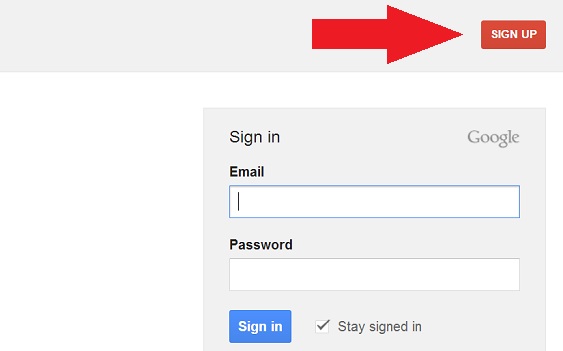
- Sign up for a free Google/Gmail account here.
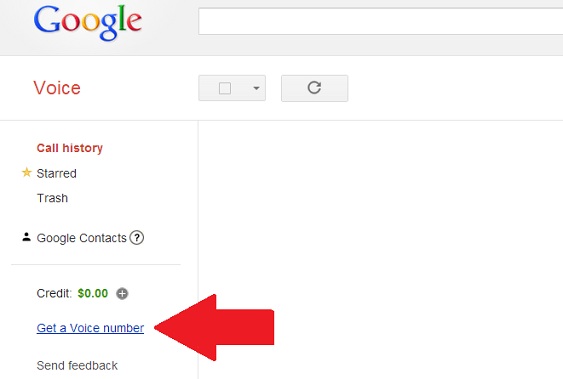
- Visit google.com/voice and click “Get a Voice Number“.
- Click “I want a new number“.

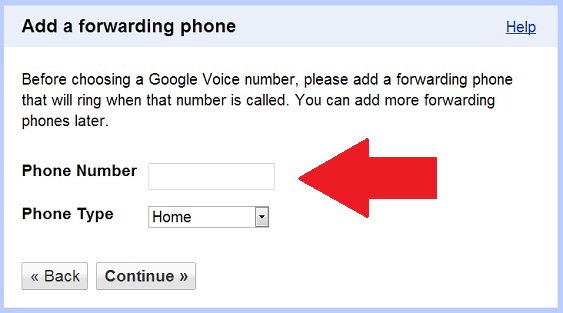
- Add a forwarding number. Use your current phone number, but if you have already cancelled your service then ask a friend or relative to allow you to use their number temporarily. Google will call this number and have you enter an onscreen code into your phone’s keypad to confirm that you’re a legitimate user. No worries as you will have the option to change this number later if you’d like.
- Create your personal pin number to be able to access your Google Voice preferences while using any phone.
- You’re done. Go download the Talkatone app for your smartphone and/or tablet device and link it to your Google Voice account to enjoy free calling! There are some innovative features including the option to have your voice mail delivered via email in text format, the ability to screen or record calls, or to have certain incoming numbers be forwarded to different phone numbers.

*Note – Calls are currently only free to US and Canadian phone numbers using this option. To check rates for other countries please see this table. See the below list for options to make free international calls from Thailand to anywhere.
Other Options to Make Free International Calls from Thailand:
- Line App – Free Line to Line calls, text and picture sharing.
- KakaoTalk – Free Kakao to Kakao calls, text and picture sharing.
- Viber – Free Viber to Viber calls, text and picture sharing.
- textPlus – Free textPlus to textPlus calls, text and picture sharing.
- Skype – Free Skype to Skype calls, Free video calls, and messaging.
- magicJack App – Free calls to U.S. and Canadian numbers, or to any magicJack number.
Unlock Your Smartphone Before You Leave Your Home Country
In addition to the above options, it is very important that you bring an unlocked GSM quad band phone that takes a removable SIM card. This enables you to use SIM cards from service providers abroad. CDMA phones can only be used with one service provider and will not work overseas (i.e. Most Verizon Wireless, Sprint, MetroPCS, Cricket, and U.S. Cellular phones). A quick eBay search for your specific phone will usually turn up some useful phone unlocking services. It’s best to do this before departing on your trip so that you can immediately purchase a new SIM card upon arrival at your foreign destination and quickly establish a line of communication.
If you are not able to unlock it prior to leaving, or if you already live in Thailand and are having issues unlocking your phone on your own simply visit your local electronics store for assistance. Have a CDMA phone? No worries! A GSM phone can easily be purchased at these same electronics stores. Most major shopping malls in Thailand have entire floors dedicated to electronics!
Are we missing anything? What method do you use to make free international calls from Thailand to friends and family back home?

Hi,
What is the option you are currently using? I want to keep my US phone no. I have Google voice no. and my T-mobile no. I wonder if I can use Hangouts or Skype or others to call back to US and still show my US phone no in case i need to verify myself with US banks. Thank you.
We have a Google Voice number and use Hangouts in order to call businesses in the US such as banks that aren’t reachable through Skype. This option has been working for us for 5 years and counting.
Hello! I just wanted to follow up because I’m currently using Google Voice. Is the option with Talkatone still available to make International calls? I’m in the process of giving up my plan with T-mobile because it’s been a nightmare. Do you think I can get by with using Skype, GV and Talkatone?
Sorry for the delay! You can actually use the new Google Hangouts app for calls and texts if you already have ported your T Mobile number with Google. Unfortunately, Google prevents pairing with Talkatone these days. We actually decided to pay $4.99 a month for an additional phone number with Talkatone . This gives us unlimited calling, VM, and texting to the US. We find this option to be the most convenient for us, so to answer your question, absolutely!
For travelers it is a headache and burden on a pocket to call internationally. But to it is quite necessary to stay connected with your family and friends whenever you want without any worry about the call rates.The post is informative indeed. The information you have mentioned are useful for every person going to travel abroad.
This has worked really well for us. Sometimes the connection can be just a bit fuzzy, but otherwise we can call our family in the US for free!
Does calling via Gmail phone work from Thailand?
It’s possible to call through Google on your computer, but we don’t have experience with that :/
Thanks for this. Ive been using google voice + talkatone since arriving in cm a couple months ago. Works great but as you may know talkatone will no longer work with google voice starting may 15. Hopefully before than google will have updated their google hangouts app and you can pair this with google voice to continue with free international calls.
Hopefully Hangouts will be fixed, but I am pretty sure there will be some alternative to Talkatone. Fingers are crossed!
Okay…so I went to get my iPhone unlocked at the mall, the one near the southwest corner of the moat…I think (still trying to get my bearings straight). Anyway, they kiosk I chose said they unlocked iPhones, I said I’d like it unlocked. Now, I have no real clue what she said to me, but 1,200B later I figured I had an unlocked phone. The next day I went to put an AIS sim and the phone wouldn’t work with it. I took it back to the kiosk and said it doesn’t work, she said AIS not work with iphone, need True or some other off brand. I ended up paying for True. Now, my question is…isn’t an unlocked phone capable of any sim card? And she asked if I only wanted it for Thailand. Evidently, unlocked is not unlocked. So with zilch communicative skill, she conveyed if I wanted the phone really unlocked, not just for Thailand, it was 6,000B and they’d need it for 5 days. I didn’t bite. Kept the True. I’d still like the phone unlocked so I can use it in other countries though. What should this cost? Or did I get taken?
Hey Scott, it sounds like you’ve been taken in my opinion. Your phone is not unlocked if it only accepts certain sim cards. I have actually never heard of a stateside phone that was unlocked being able to take only certain kinds of Thailand sim cards. Does not make any sense to me. We have heard that sometimes phones do take up to 5 or 6 days to unlock. Mine took 3 or 4 back in the states. I would just stick with True if it is working for now, or maybe try another brand and see if maybe you just got a shotty card the first time. Let me know how things turn out.
Well, the way I look at it…something was fishy, but True works fine…so whatever they did, it allowed that sim to work. My phone was/is married to AT&T. Before I left to come here, I was told back in Calif that it takes upwards of 5 days to unlock a phone. I’m just curious at this point in time, but will still check to see if it is unlocked or not…and what the “real” price would be for something like that.
I had AT&T as well. I unlocked my phone through a seller on eBay. I had to give him my IMEI number and pay about $4. He/she remotely unlocked it in about 3-5 days (can’t remember exactly). That was before it was illegal to unlock your smartphone through a third party services in the US. Not sure if this is still the case or not, but I remember shortly after seeing a bunch of unlocking websites down or out of business because of the new ruling. Pretty ridiculous!
Hi guys! Thanks for the info. We are planning for a trip around different countries (India, Thailand and NZ) on the next year to come and it would be perfect to have this solution. However, i just tried to open a google voice account and it tells me it is not available for mobile devices (only desk and laptops)… Is that normal? We wanted to take just the tablet (only WIFI) and a handy with…
Also, do you know if this is an option for Europeans? I mean, in US there are usually a lot more options open but for example, with Skype number there are only 3 countries in Europe that you can choose from (I think it was Germany, France and UK). So neither Spanish not Austria (our countries) are included, which means our friends who don’t have Skype still have to call abroad!
Hope it did not get too confusing and thanks 4 ur help
Bea & Jose
Hello, It is possible that you may have to signup on a desktop, but you should be able to download the talkatone app, or a similar app on your tablet. We use our iPad daily to make and recieve calls. For a list of rates in other countries try this rate table. Hope this information proves useful. With all the apps out there I am sure there is something that will suit you guys. Good luck!
Google hangouts is not blocked here. Line is great but the government has now stated that they are monitoring it. Magic Jack has been great since you still have a US land line number for people to call.
We definitely recommend investing in a quality VPN while traveling abroad.
Nice one guys.. I was just searching to see who is all in Chiang Mai and came across this.. I just landed here to day and plan on staying for a few months. Hope to catch up soon. Adam
Thanks for the comment Adam! We are always glad to hear about people visiting Chiang Mai. We look forward to hearing about your stay!
This is perfect! I am moving to Chiang Mai in January and will look this up, too.
Awesome!
We are glad that his may come in handy for your new life in Chiang Mai. It is definitely one thing that we take full advantage of regularly. Not having this option would make things a little harder seeing as though some smartphone apps require both users to have the same app, certain types of connections, etc. This pair makes it as simple as calling anyone normally would be.
Good luck with your upcoming move. Hope the prep goes smoothly and we look forward to hearing more about experiences :)
Google Voice with Talkatone is pretty awesome. If you have a tablet (like a nexus 10) and you have a Google Voice account you can download an app called Groove IP Lite which will allow you to make free calls through Google Voice by installing a dialer onto your tablet. Since the tablet is only set up for wi-fi this will allow calls without having a sim card.
We use LINE with our friends around the world also. It is pretty awesome for free calls and the only restriction is that the person you want to talk to has to have LINE installed also.
I heard that Google Hangout is blocked in Thailand. Do you know if that is true? Depending on the day and how the connection is working sometimes we find Hangout to be better than Skype and other times it is the other way around. It would be nice to have both available.
Not sure about Hangouts as we have never used it, but after just checking my google+ account it shows the hangout option in the right side. Usually things that are not available in Thailand are not visible. In any case isn’t anything a simple VPN can’t resolve.
Talkatone has really been awesome for us. We also have a magicJack membership paired with the magicJack app as a backup if anything was to ever happen to Google Voice or Talkatone. We pay about $2 a month for the magicJack service, but we are happy with it. It also comes in handy if we both need to make phone calls back to the states at the same time, or if we need to call each other.
Google Voice and Talkatone now work perfect on Virgin Mobile (Sprint Network)
Awesome, thanks for sharing that good bit of info!